Plan the day you'll actually have.
HourTrue is a time-blocking app for iPhone that learns how long your work really takes, and keeps distracting apps out of your way while you do it.
iPhone · No account · Your data never leaves your phone.
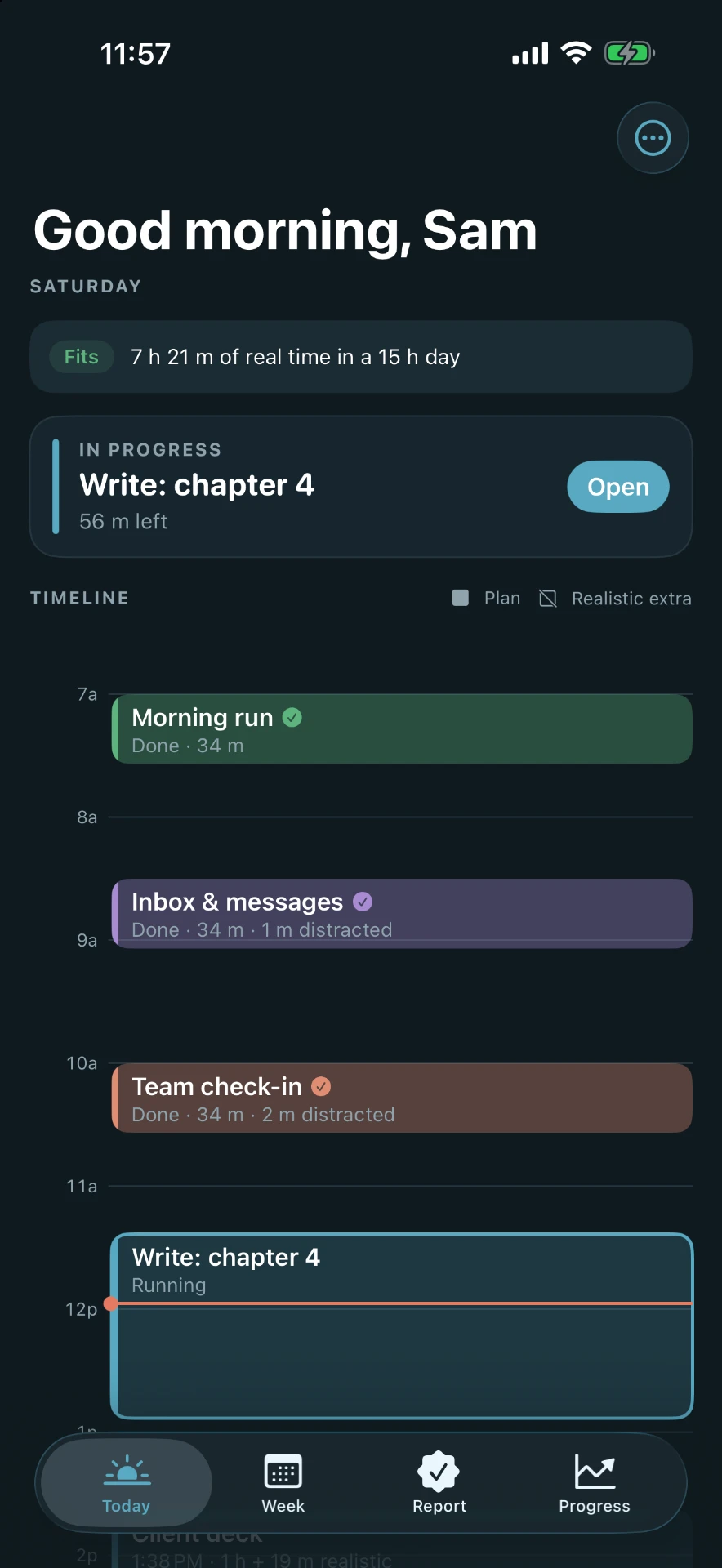
The day runs long. The scroll runs longer.
Your plan assumes the best case.
Every block is sized for a perfect hour that rarely happens.
One scroll turns into forty minutes.
A quick look at the apps that pull you away takes the time you meant to give your work.
The evening disappears into your phone.
The day ends, but the scrolling keeps going past the night you meant to keep.
The fix: honest time
HourTrue holds the time it really takes.
Deep work · 90 m planned
HourTrue holds 2 h 2 m
The striped part is the honest extra time. Deep work starts at 1.35×.
Every block you finish teaches HourTrue your real pace.
Block the time. Block the scroll.
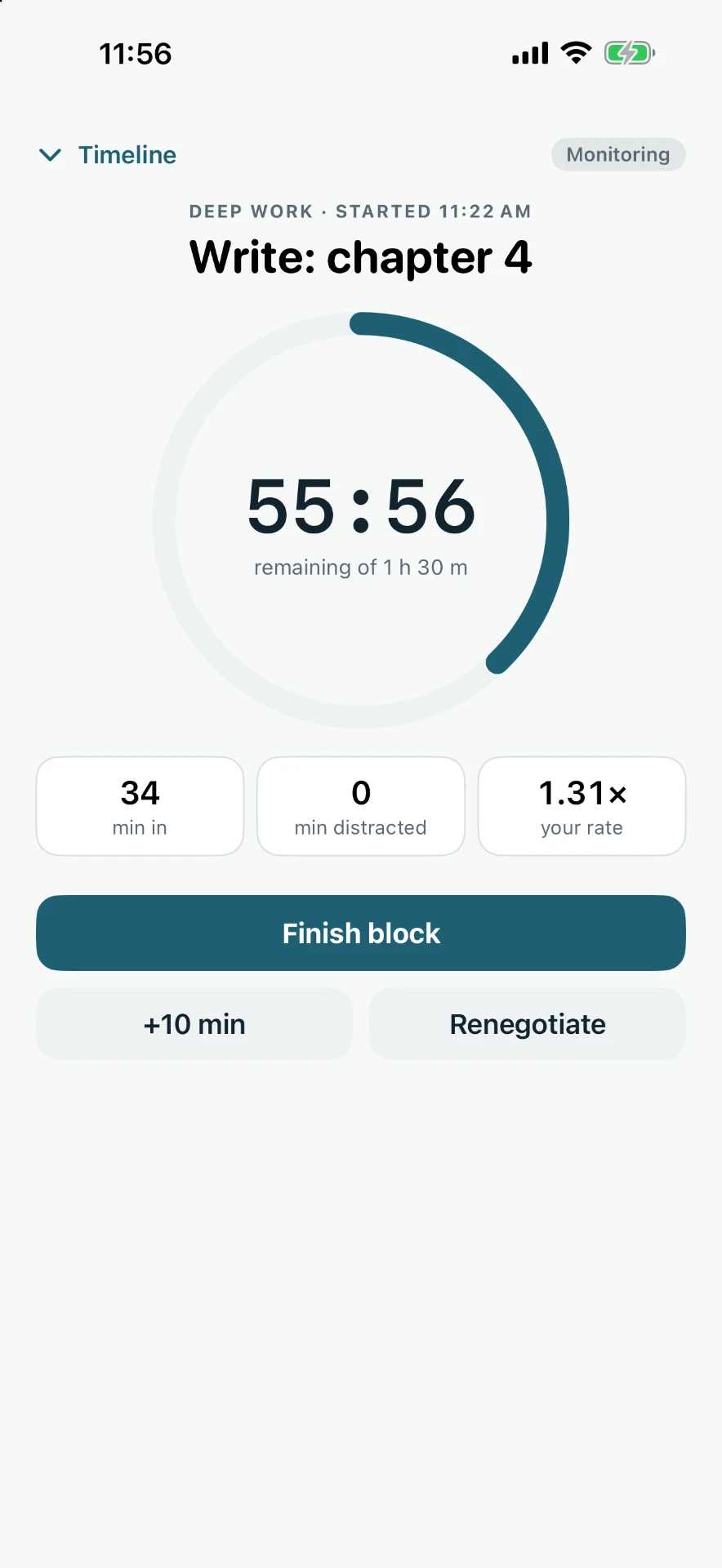
Choose the apps that pull you away. While a block runs, HourTrue counts every minute you spend in them, or locks them until the block is done. Your choice, block by block.
Monitor
See the truth. Distracted minutes show up on each block and your report card.
Lock
Remove the temptation. Chosen apps are blocked until the block ends.
Powered by Apple Screen Time. HourTrue never sees which apps you use or what you do in them.
Restricted
Blocked during Write: chapter 4
HourTrue 9:20 PM
Unplug in 10 minutes. Wrap up and close out your day.
Read & reflect
45 m
Wind down
45 m
A hard stop at night.
Pick the moment your phone goes down. Your plan is built to end there, you get a heads-up before it arrives, and putting the phone down on time counts toward your score.
UnpluggerEarn XP for closing out on time, and the Unplugger badge after five on-time nights.
Apps are blocked during locked blocks only, not all evening.
How it works
- Step 1
Add your blocks like calendar events.
Repeats daily, weekdays, weekly, monthly, or your own pattern.
- Step 2
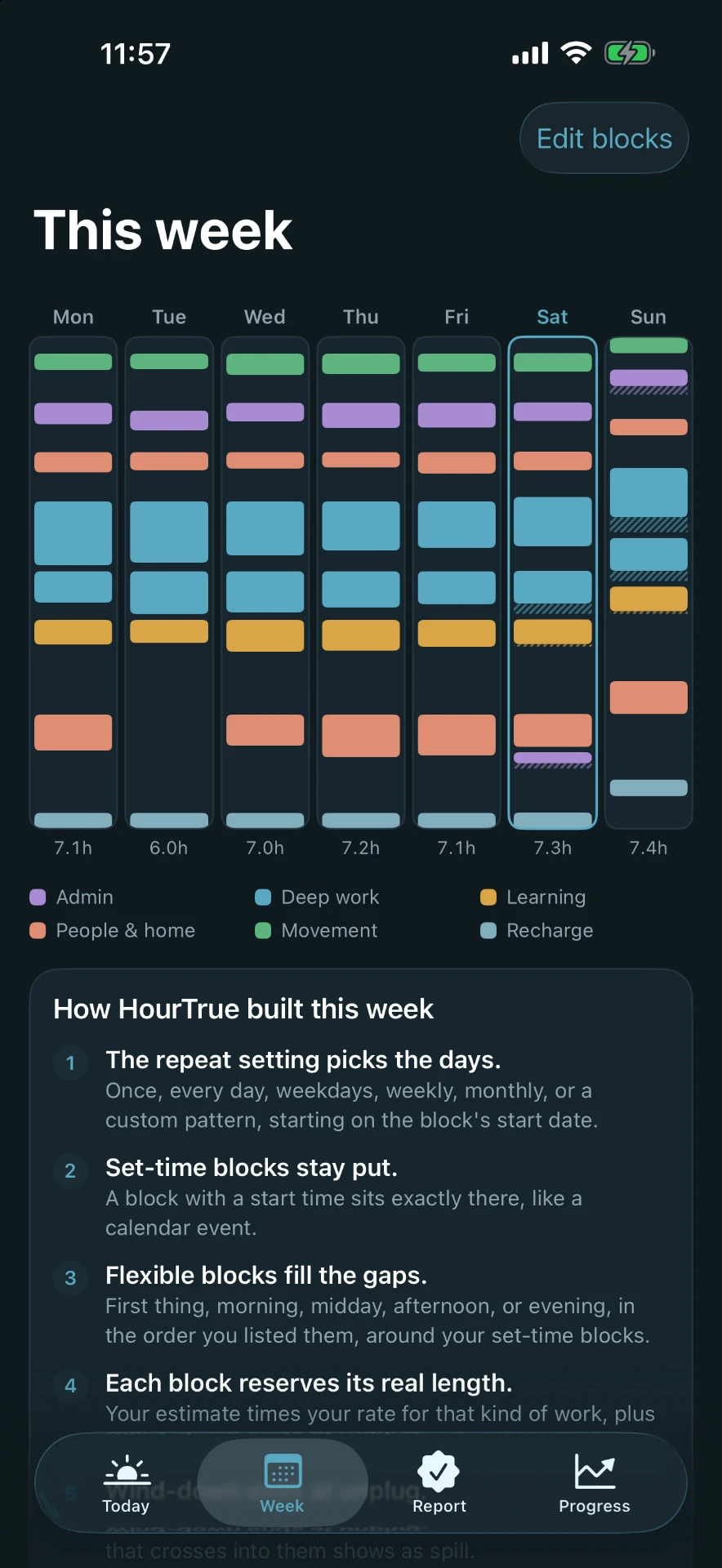
HourTrue builds a realistic day that ends at your unplug time.
Honest time included. Nothing crosses the line.
- Step 3
Run each block and renegotiate when life happens.
Way behind? Renegotiate. Later blocks slide back on their own.
Built for the day as it goes.
Plan
Honest time blocks
HourTrue learns how long your work really takes and holds that time in your plan.
Set or flexible times
Pin a block to a time, or say “morning” and HourTrue fits it around everything else.
Lock Screen & Dynamic Island timer
A running block shows its timer right where you glance.
Renegotiate when you run long
Adjust a running block when life happens. Later blocks slide back on their own.
Focus
Distraction monitor
See the minutes spent in the apps that pull you away, on each running block and your report card.
App lock during blocks
Chosen apps are blocked during blocks you mark as locked. When the block ends, they come back.
Pomodoro sprints
Break a long block into focused sprints with short breaks, if that's how you work.
Unplug time
Your plan ends at the time you choose, with a reminder 10 minutes before. Closing out on time counts toward your score.
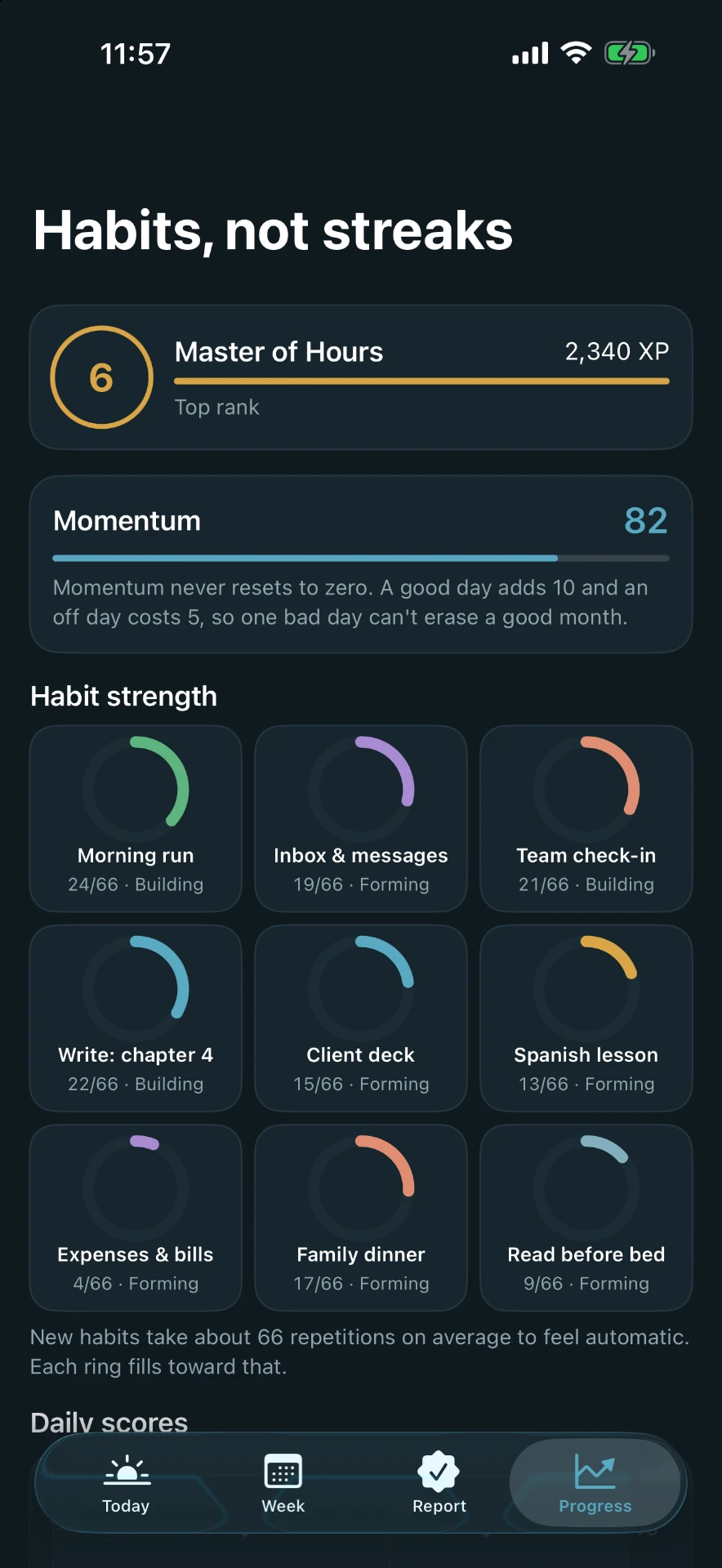
Momentum never resets to zero.
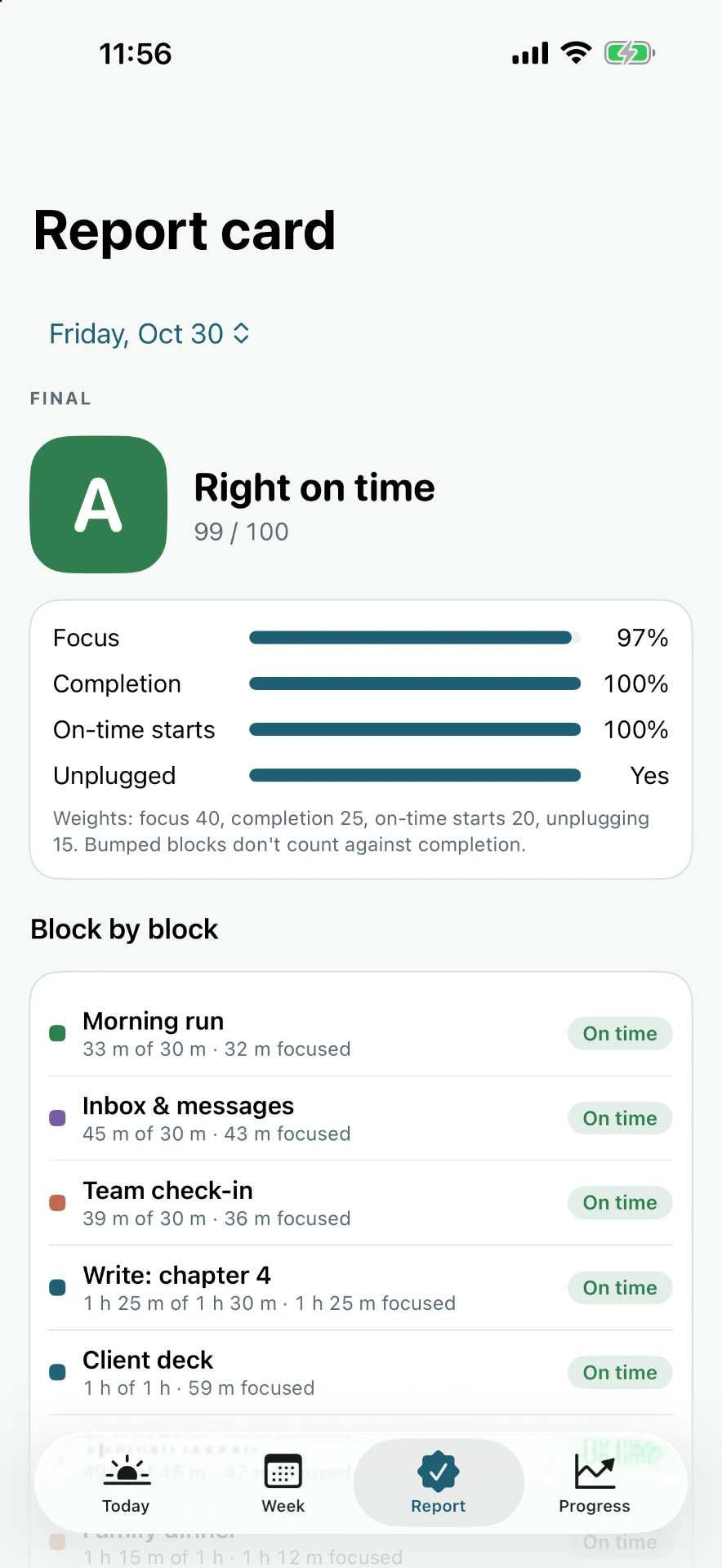
Focus counts for 40% of your day's score. Minutes lost to scrolling show up here, so you can see them shrink.
One rough day can't erase a good month. Earn XP and levels, and watch habit rings fill as repeating blocks head toward automatic.
No account. No servers. No tracking.
Your plans, habits, and focus data live only on your iPhone. HourTrue collects nothing.
Even your focus data stays on your phone. Screen Time does the counting, on device.
- No sign-up
- Stored on device
- Data Not Collected
Questions
When does it launch?
Soon. Join the waitlist and we'll email you once, on launch day.
How much does it cost?
Free to try, with an optional HourTrue Pro subscription. Waitlist members hear first about launch pricing.
Does it work with my calendar?
Yes. You can add any block to Apple Calendar with one tap.
Is it on Android or Mac?
iPhone first. HourTrue runs on iPhone with iOS 17 or later.
Does HourTrue block apps all the time?
No. Only during blocks you choose to lock. Everything else works normally.
Can I use it without blocking anything?
Yes. Monitor mode only counts minutes, and you can turn focus tracking off completely.
Which apps can I block?
Any apps or whole categories you choose in Apple's Screen Time picker.
Can HourTrue see what I do on my phone?
No. Apple's Screen Time counts minutes on your device and only tells HourTrue a total. HourTrue never sees app names, messages, or browsing.
What's an exchange rate?
It's how much longer a kind of block usually runs than planned. Deep work starts at 1.35×, admin at 1.6×. Every block you finish adjusts it to your real pace.